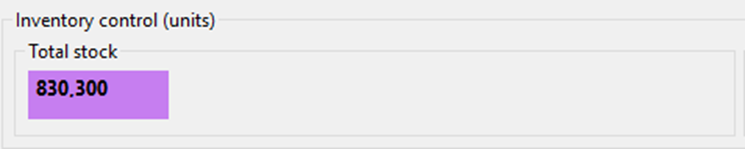
Scorecard Data Collection
SISU Data
Obtained via Control Tower
https://sisu.inditex.com/control-tower/productivity
- Packed Orders
- Packed Units
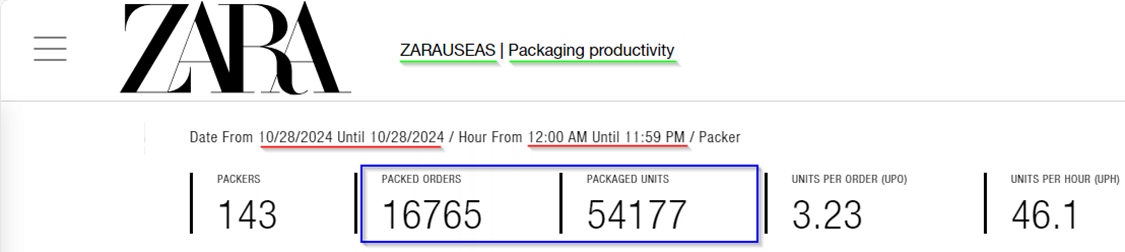
Change Time Zone to Pacific when gathering Rialto & Vancouver Data (UTC-8:00 Pacific Time (US & Canada)
EPAC - SGA App
EPAC -> Reports -> Sorted by user PTL
- PTL Units
(bottom left corner of window displays grand total of units)

MSR - SGA App
AGV & Manual : PO, BS, RT, PT
MSR -> Reports -> User Production
- AGV Picked Units
AGV: AGV Distribution by Quadrant, AGV Distribution by Superquadrant
- Manual Picked Units
Manual: Guided Quadrant Picking, Picking Ecommerce to Bulk Number, Picking without Paper
MSR -> Reports -> Movements
Select all Movement Types under AGV and Manual, export to Excel, delimit and pivot to refine Metric Types.
*STATUS - COMPLETED*
| AGV | Manual | Metric Types |
| AGV Placing Bulk with Recommendation | Box Placing | AGV PO Putaway |
| Automation Direct Placing | Direct Placing | AGV Backstock Putaway |
|
Automation Multireference Placing |
Multireference Placing |
AGV Returns Putaway |
| Automation Placing Sku Scanning | Place Bulk Scanning with Recommendation | AGV Inbound PT Putaway |
| Automation Placing Sku Scanning with Amount | Place Bulk with Recommendation |
Manual PO Putaway |
| Placing Sku from Bag | Manual Backstock Putaway | |
| Placing Sky Scanning | Manual Returns Putaway | |
| Placing by Proximity | Manual Inbound PT Putaway | |
| Placing by Proximity Guided | ||
| Placing Full Container | ||
| Placing Scanning | ||
| Placing Sku with Amount | ||
| Placing with Amount |
Work Order Types
|
Work Order Prefix |
Inbound Work Type |
What it is? |
|
PO |
PO |
New Product from Zara |
|
BS |
Backstock |
Old Stock from Stores |
|
RT |
Returns |
Items returned to Zara and processed a Carbel (Easton & Rialto, Vancouver processes their own returns) |
|
PT |
Picking Transfer |
Product transferred from other Zara warehouses |
B2B AGV & Manual Picked Units
Select all Movement Types under AGV and Manual, export to Excel, delimit column and pivot to refine Metric Types.
| AGV | Manual |
| AGV Distribution by Multilocation | Guided Shop Picking |
| AGV Distribution by Shop | Guided Totals Picking |
| AGV Distribution by Total |
- B2B AGV Picked Units
- B2B Manual Picked Units
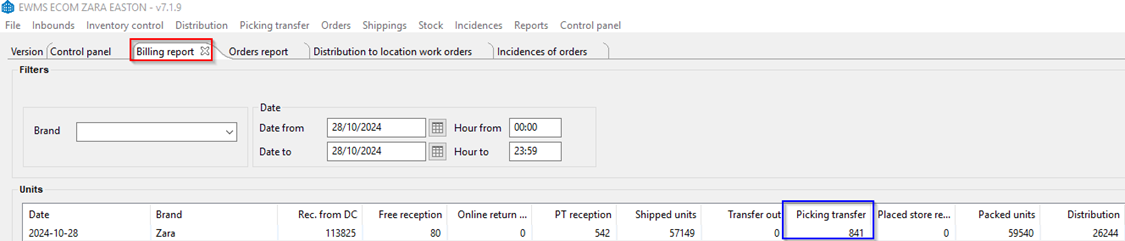
EWMS - SGA App
EWMS -> Reports -> Billing Report
- PT Outbound Units
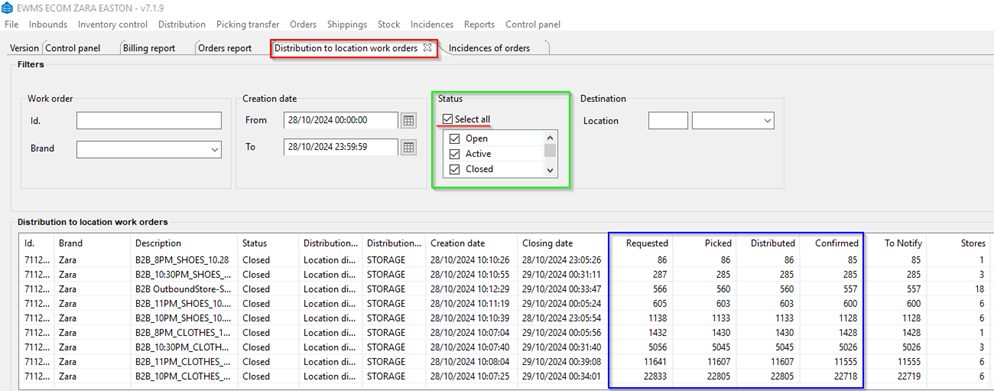
EWMS -> Distribution -> Distribution to Location Work Orders
- B2B Requested Units
- B2B
DistibutedDistributed Units - B2B Confirmed Units
- B2B Picked Units
*STATUS - COMPLETED*
EWMS -> Orders -> Orders Report
- Sold Units
- All of the below may be preselected by default. The highlighted below are the only ones that need to be selected manually.
| Pending | Picking | Preselected | Packing | Picked | Packed | Shipping | Shipped |
| Canc. Unpacking | Stock Pending | Stock Reported | Stock Received | PTL Sorting | PTL Sorted | Stock Partial Reported | Stocked PTL Sorted |
| Stock PTL Sorting | Stock PTL Partial Sorted | Stock Partial Received | PTL Finished | Shipped Deferred | Labelling |
EWMS -> Reports -> Billing Report
- Shipped Units

EWMS -> Control Panel -> Control Panel
- Total Stock Units